Chrome Link Share via mailto

This post shows how to share link in google chrome vie email using mailto. The possibility to send a link of an opened website to someone via e-mail is searched in vain in Google Chrome. The menu bar in Google Chrome is not provided and can therefore not be customized, so the only remedy is to add an extension.

How to Sharing Website Link via e-mail with mailto in Google Chrome

All functions of the menu bar are located in the Google Chrome menu, which can be opened to the right of the address bar by pressing on the three dots, then go to More Tools => Extensions => Open Chrome Web Store (bottom left) to enter “safavi mailto” in the search field at the magnifying glass.
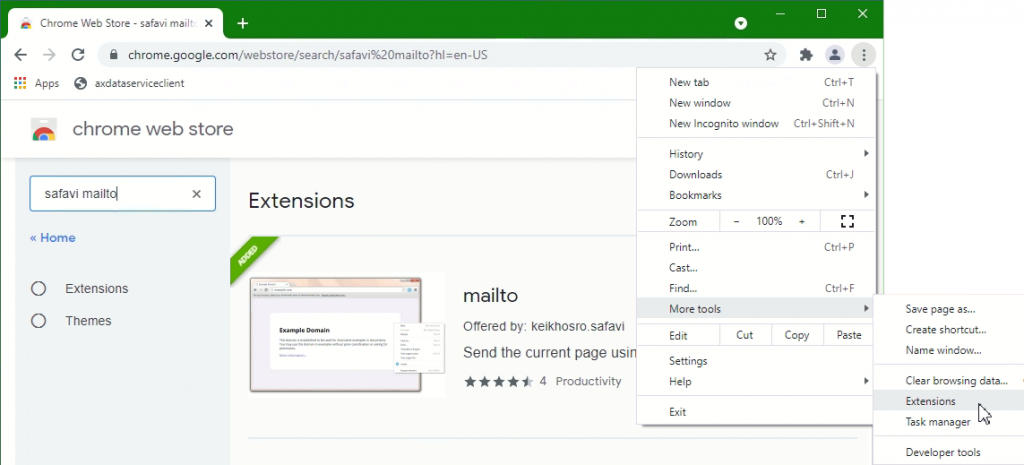
Chrome Link Share via mailto. Add extension mailto from Web Store
Figure: Google Chrome extension mailto

The Google Chrome extension can also be found via QR code.
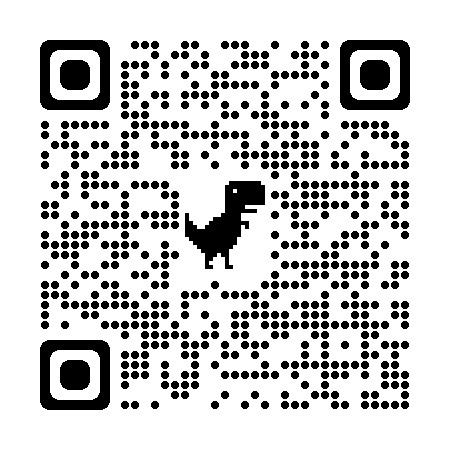
QR Code Add Google Chrome mailto extension

Add the Google Chrome extension mailto, scan with QR code, or via the link here.

After the extension is added in Chrome, the mailto icon in the menu bar can be pinned. By clicking on the puzzle icon at the top right, the drop-down menu opens.
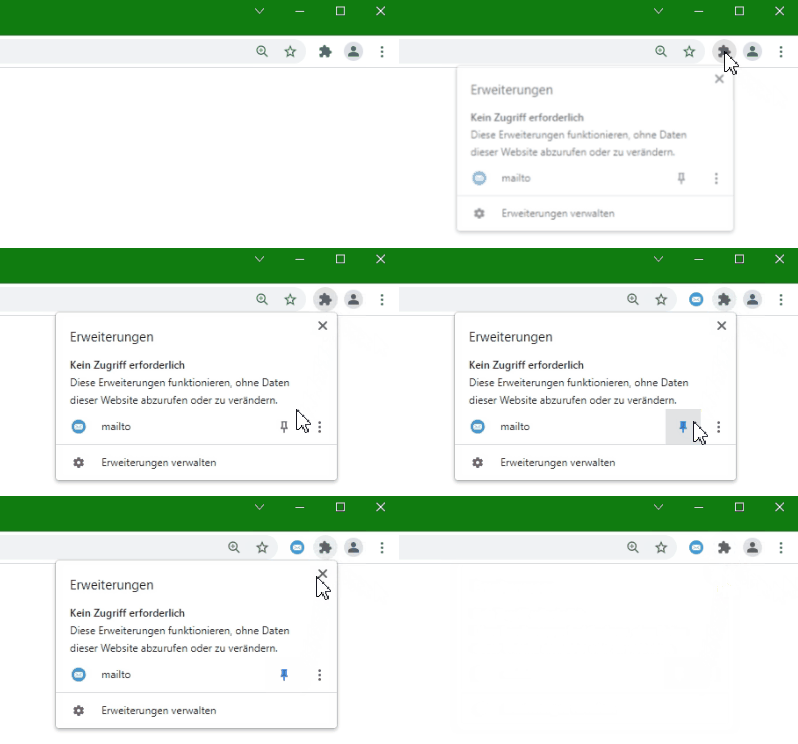
Google Chrome Extension pinning to menu bar

Click on the Pin here at mailto, so that the mailto symbol in the menu bar remains pinned.
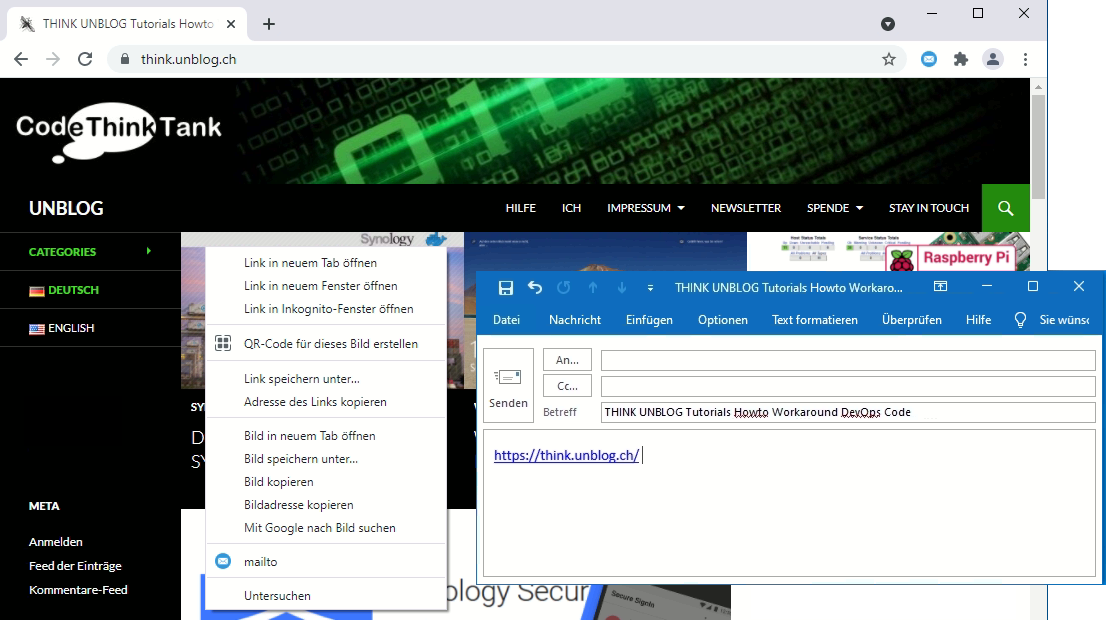
Sahre Website Link Send via e-mail in Google Chrome

Now the context menu can be opened with the mouse over the opened website. With right-click select mailto to share the link Alternatively the mailto icon in the Chrome menu bar can be selected.

Conclusion

It is therefore also possible in google chrome to share an link of a website via an e-mail with mailto. This means that it is no longer necessary to insert the link into an e-mail using copy paste.
Synology Passwordless login with Secure SignIn

How to Passwordless Secure SignIn by Two-factor authentication on Synology NAS.

Synology extends SignIn with DSM 7 service and integrates identity verification for Two-factor authentication (2FA). In addition to a one-time verification code (OTP). The users can also use login approval or hardware security keys as a second step in two-factor authentication.

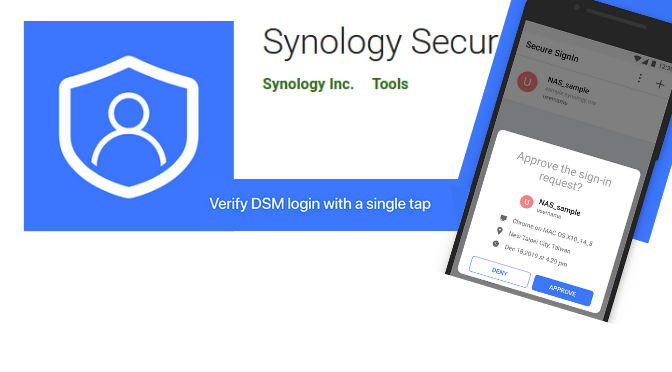
Synology Secure SignIn

Android and iOS devices are supported, with the use of an app for the two methods – login approval and one-time verification code (OTP) on a smartphone or tablet. This tutorial shows how to sign up using Login Approval using Synology Secure SignIn.

Requirements

  • iOS: 11.0 or higher
  • Android: 7.0 or higher
  • Screen lock is enabled by default when using Synology Secure SignIn on the mobile device to ensure security
  • Supports the receipt of real-time login requests via push notification on the mobile device
  • Supported without push notification enabled, as long as the user can unlock the device

Enable Secure SignIn

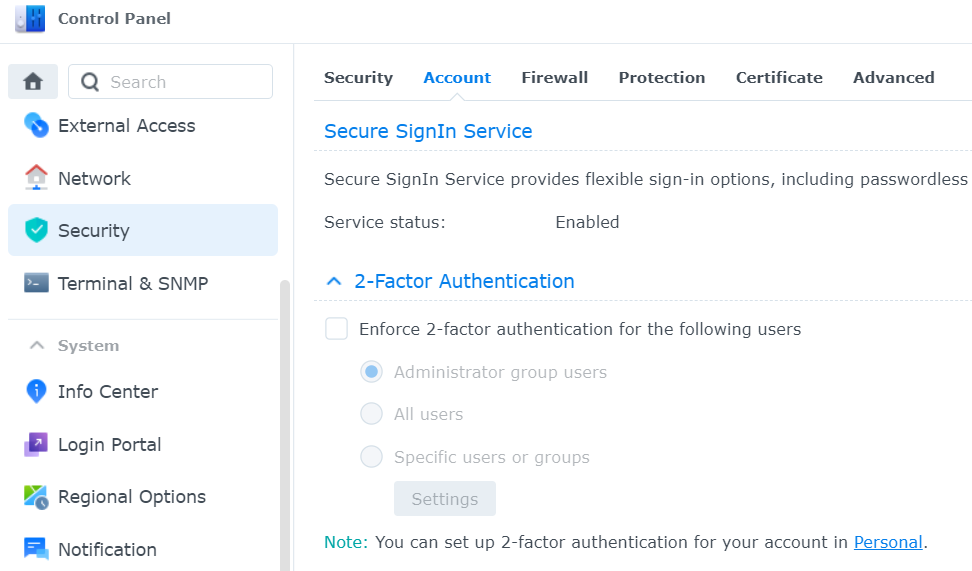
To activate Secure SignIn, go to Security => Account => Secure SignIn Service in the DSM Control Panel.

  • Check Enable Secure SignIn.
  • Sign in to Synology Account.
  • Click Apply to save the settings.
Synology DSM 7 Control Panel - Security - Account - Secure SignIn Service
Figure: Synology DSM 7 Control Panel

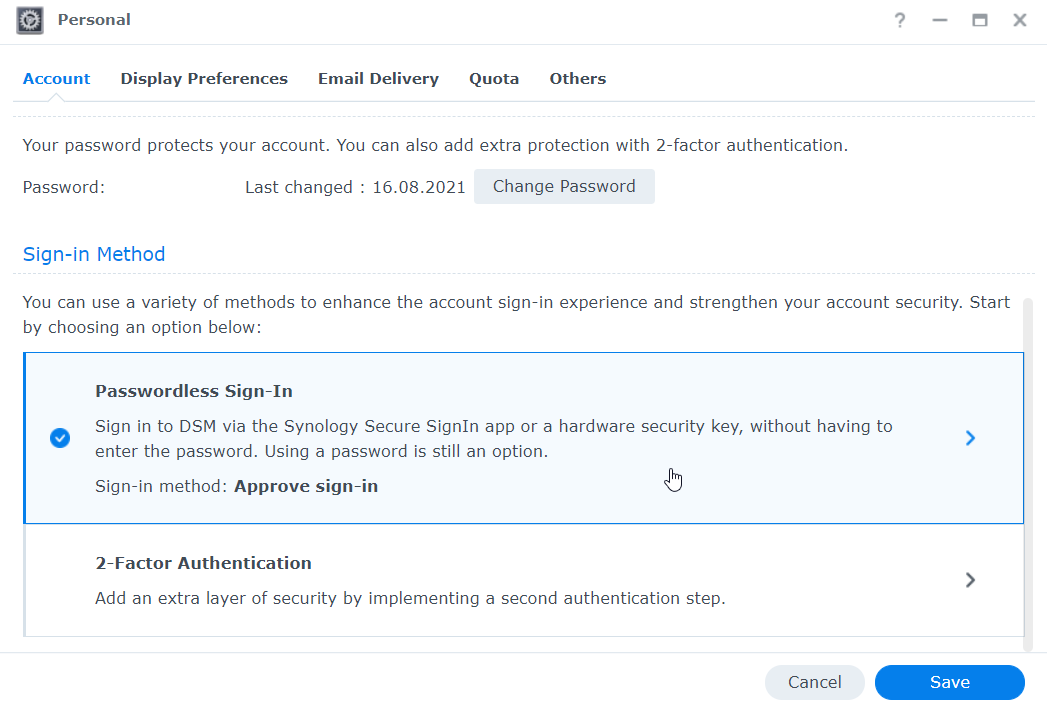
Click on Personal at the bottom of the note, or via the menu bar at the top right open drop down menu and choose Personal, then scroll down.

Synoloyg DSM Passwordless Sign-In

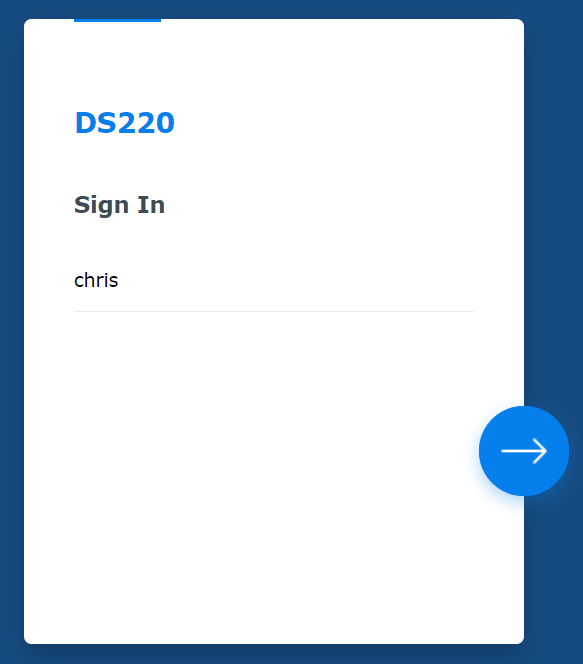
Choose the login method Passwordless Sign-In. After a verification of identity with password entry, you will be guided through the setup wizard.

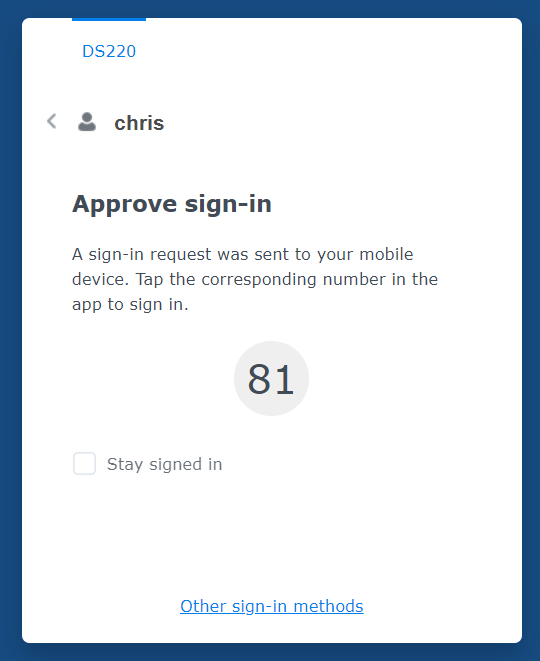
The next time you log in, the code for the registration approval is displayed, which is required for the mobile app.

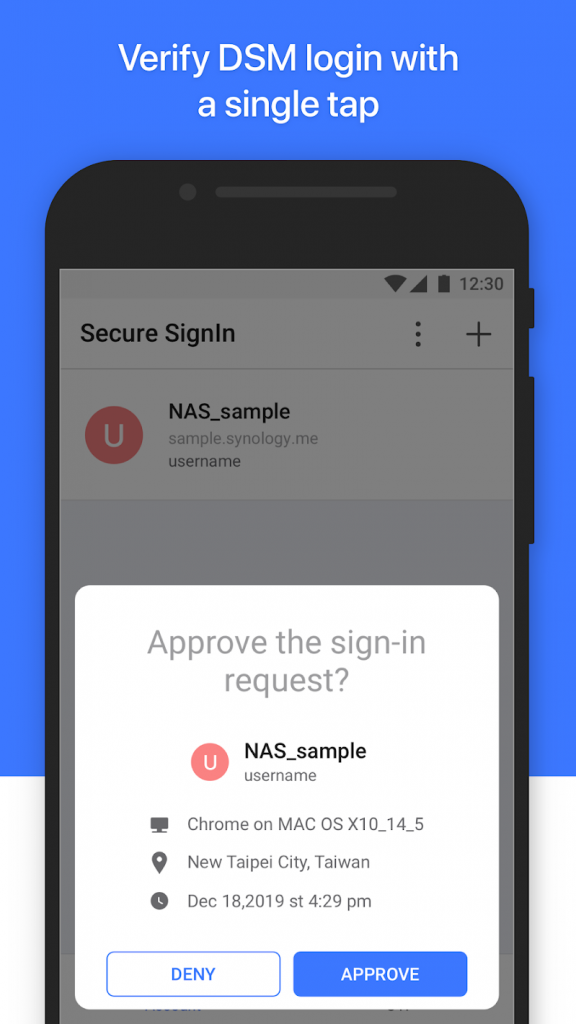
Synology Secure SignIn App Android

Mobile App Secure SignIn Login Approval for Passwordless Login, first touch the + above to scan the QR code displayed by the DSM wizard

Synology Secure SignIn Mobile App for Android and iOS devices.

Apple Synology Secure SignInAndroid Synology Secure SignIn
Apple iOS Synology Secure SignInAndroid Synology Secure SignIn

Conclusion

Multi-factor authentication should be easy. With Synology Secure SignIn for passwordless login and 2-factor authentication. It is now possible to log in to the Synology NAS without remembering a password. While being protected against attacks with increased security.