If you open a website that uses an deprecated TLS encryption, you may get the Firefox error page “Secure Connection Failed”.
An error occurred during a connection to [host] Cannot communicate securely with peer: no common encryption algorithm(s).
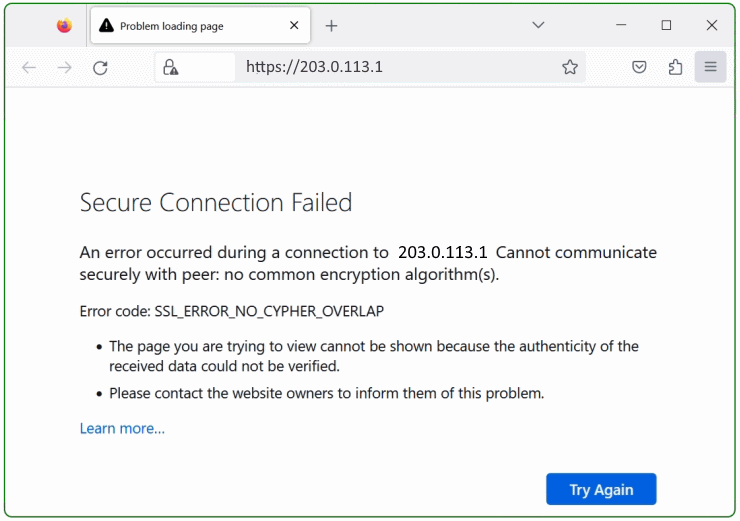
Error code: SSL_ERROR_NO_CYPHER_OVERLAP
The story behind
Sometimes administrators have to be able to access devices that are operated with older operating systems they uses deprecated TLS versions, this can be network devices, servers and routers for which updates are no longer available, but are still required in a transitional period. Nevertheless older equipment usually still works fine, have they reached the status end of live and should be replaced in the near future.
TLS 1.0 and TLS 1.1 have been deprecated since Firefox 78 Release and should not be used nowadays.
Firefox supports the deprecated protocols (if you absolutely need it) via “security.tls.version.enable-deprecated” in about:config . This should only be enabled temporarily to access your device.
How to enable TLS 1.0 and TLS 1.1 in Firefox
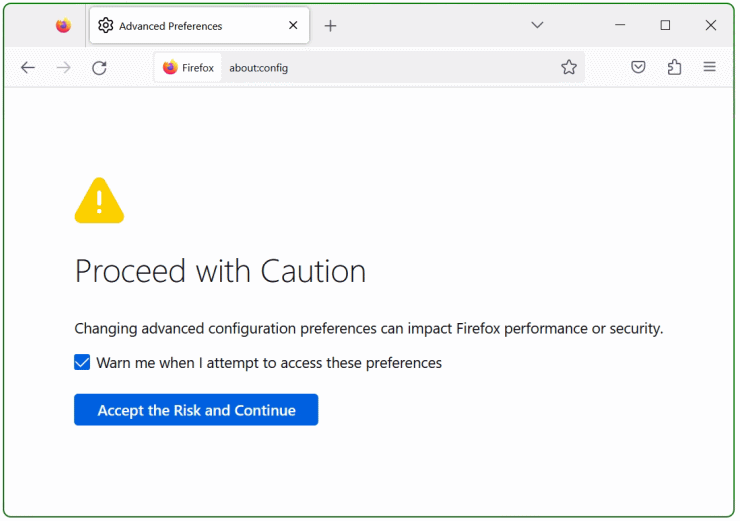
Open Firefox and hitabout:configin the search bar and press Enter. In the caution screen, select “Accept the Risk and Continue”.
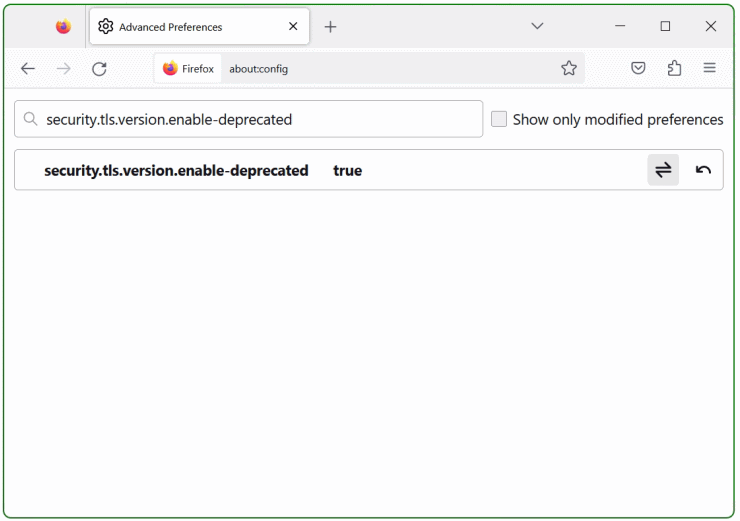
Now search for security.tls.version.enable-deprecated and set it to true at the switch on the right.
Next search for security.ssl3.dhe_rsa_aes_128_sha and set it to true, do the same for security.ssl3.dhe_rsa_aes_256_sha.
Last search for security.tls.version.min in the search bar above and set it to “1” then click save on the right. After a Firefox restart, the connection using weak encryption is established.
In the Warning screen, Potential Security Risk Ahead, select “Advanced” and choose “Accept the Risk and Continue”.

The values for the TLS security.tls.version.min and security.tls.version.max preferences mean:
1 = TLS 1.0
2 = TLS 1.1
3 = TLS 1.2
4 = TLS 1.3
no success yet! the next hint might help
Search for security.ssl.enable_ocsp_stapling in the search bar and set it to false, then restart Firefox and try again.
OCSP is a method to check whether a site’s SSL certificate has been revoked by its issuer. “Stapling” is a method for the site to deliver proof of validity along with its own certificate. This improves privacy for the user because you don’t need to reveal to a third party (the issuer) that you need to know about the site you’re trying to use.